
Stacks
A Stack is the core collaborative document type in Sundog.
A stack is made of one or more Layers, with Annotations and Comments on top of it.
A Layer is created from a single Page in an Upload; howver, a Stack’s Layers can come from any number of Uploads.
Making stacks
Section titled “Making stacks”There are two paths to creating a Stack: from the pages of a single Upload, or from all Uploads in the Experiment.
1. Making a stack from a single Upload
Section titled “1. Making a stack from a single Upload”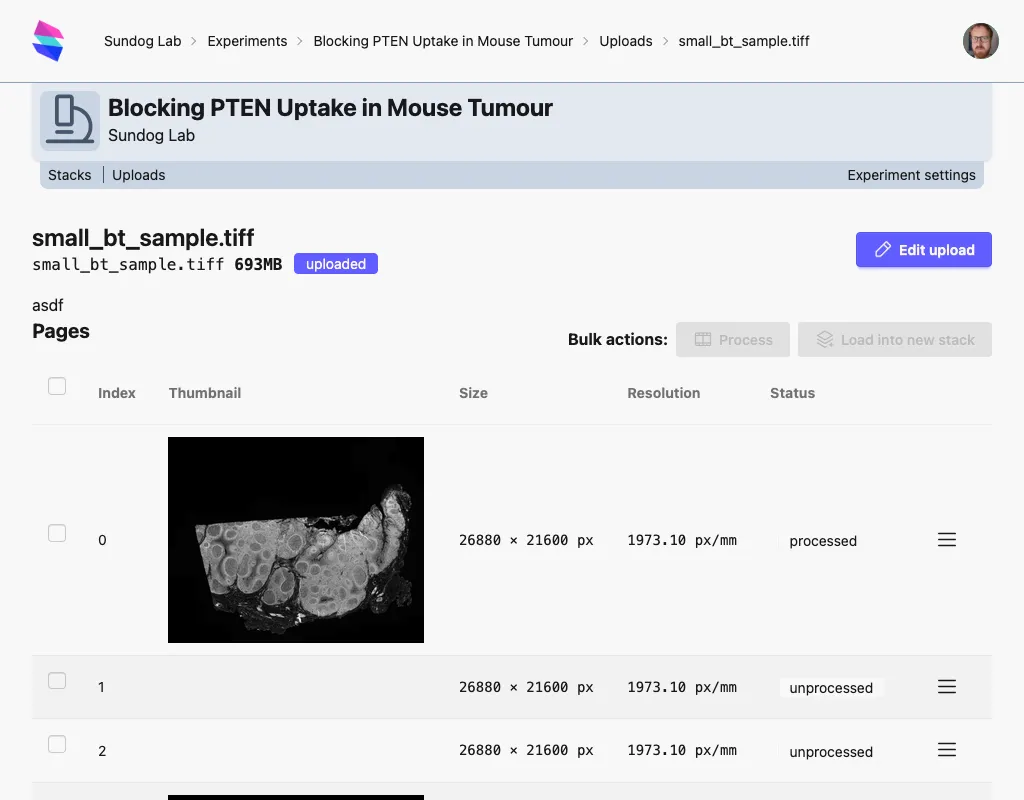
From an Upload, select one or more layers with checkboxes, and click Load into new stack (top right).
This take you to the “create stack” page, where you can alter the default name of the stack; the pages you have selected will be previewed here. The stack will only be created when click “Create Stack”, at the bottom of the page.
2. Make a stack from the Stacks page.
Section titled “2. Make a stack from the Stacks page.”If, however, you wish to make a stack from more than one Upload, you must do so from the Stacks page.
From the Stacks page (found in the Experiment Menu), click New Stack. (Alternatively, use the New → Stack shortcut from the Experiment homepage, just above the latest stacks/uploads).
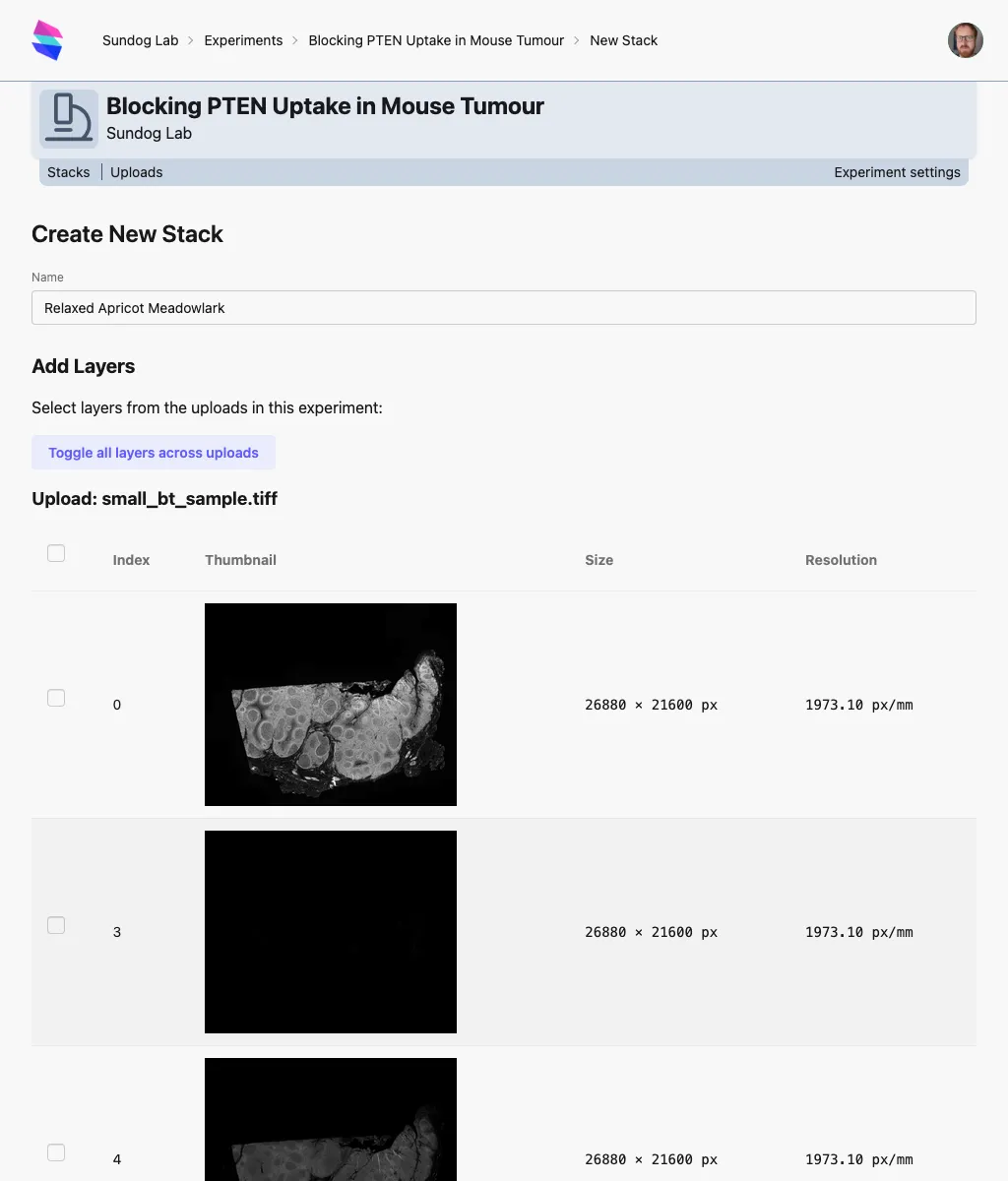
This page lists all the pages from every upload in the experiment. Select the pages you’d like to use as layers, and click Load into new stack at the bottom. Remember that all layers in a stack must have the same dimensions.
The checkbox by a page will toggle it; the checkbox at the top of each upload’s list of pages will toggle all pages for that uploads. The Toggle all layer across uploads button will toggle every single page on the screen.
You currently can’t add/remove layers from a stack right now; you can however just delete a stack and recreate it with the layers you’d like - although you’d lose any annotations on them.
Viewing stacks
Section titled “Viewing stacks”Anyone in the lab can currently view and comment any stack in an experiment.
Stacks are viewed in the Stack Viewer; this has enough functionality that it warrants its own documentation page.